
When a tenancy heads to the tribunal, the evidence is already in order.
One tap pulls every served notice, rent-ledger entry, condition photo and chat into a single, state-formatted PDF you upload with your application.

When a matter goes to NCAT, VCAT, QCAT or any Australian tribunal, LORDLY assembles the paper trail you already created (every served notice, your rent-ledger entries, condition photos and the communication log for that property) into one print-ready evidence bundle formatted for your state’s tribunal. It builds the submission; you review it and file on the tribunal’s own portal. Included from Standard.
The paper trail, gathered for you
You have already served the notices, logged the rent and photographed the property. The work at a hearing is pulling it together. LORDLY does that in one pass: every served notice from all three of its notice sources, your last 60 rent-ledger entries, up to 40 timestamped condition photos and the communication log for that tenancy. Nothing you served goes missing, and nothing from another property creeps in.
Formatted for your state’s tribunal
The tribunal that hears the case sits in the property’s state, so the bundle is built for it. LORDLY reads the state on the property and formats for NCAT, VCAT, QCAT, SACAT, ACAT, NTCAT or the WA Magistrates Court, right down to a ’how to file’ panel inside the PDF that links the correct tribunal, its current application fee and the typical first-listing time. Summary cards up top total your notices, rent records, photos and outstanding rent at a glance.
It assembles; it doesn’t advise
LORDLY gathers the evidence you already created. It does not give legal advice and it does not lodge the application. Each tribunal runs its own e-filing portal, so you review the bundle, then upload and file it yourself. The PDF carries a plain disclaimer to verify every entry against your own records, and for a hearing of consequence, to consider engaging a tenancy lawyer.
Exactly where it lives.
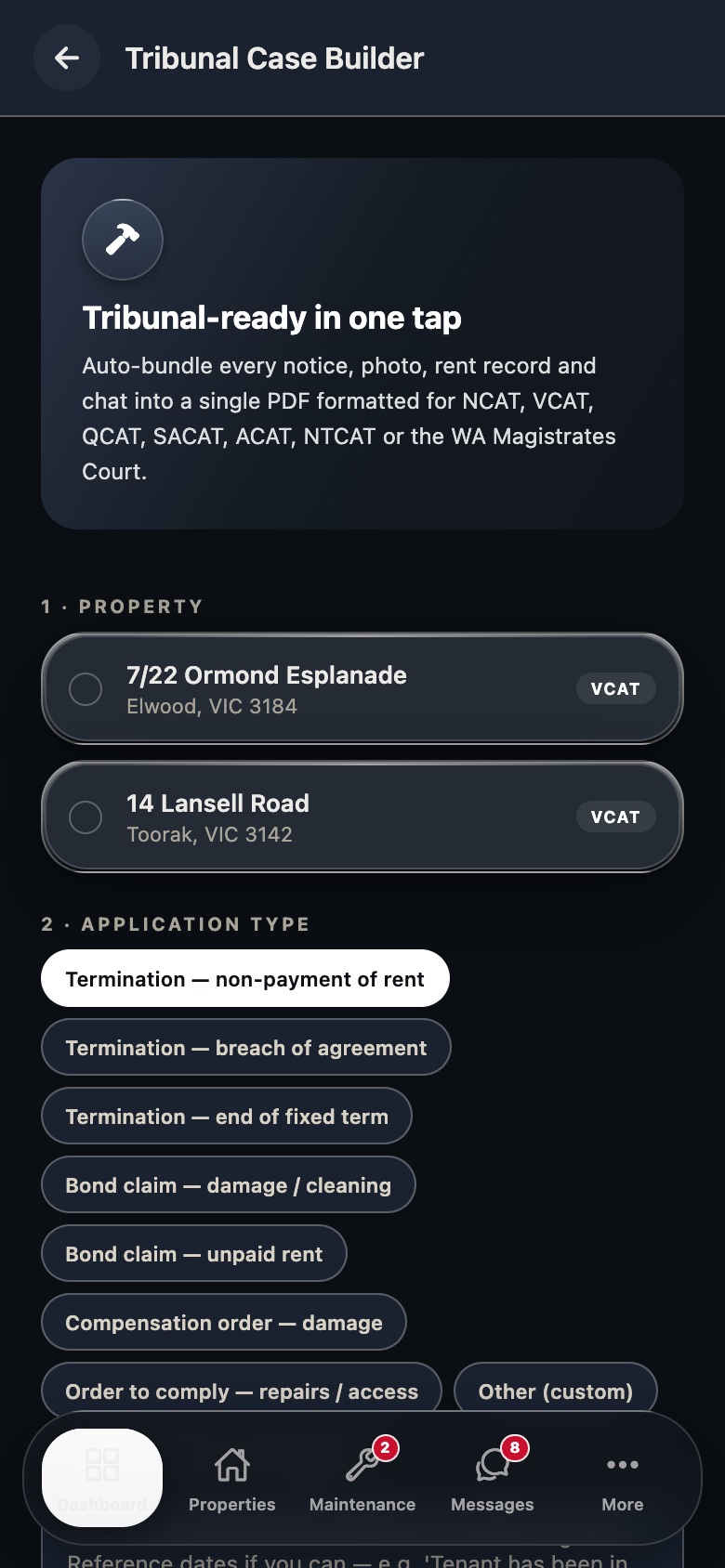
Real LORDLY app screens · demo portfolio shown · yours once signed in.
From start to done.
- 1Pick the propertyChoose the tenancy in question. LORDLY reads its state and names the tribunal that will hear it, with the fee and typical listing time.
- 2Choose the application typeTermination, bond claim, compensation order or an order to comply, or type your own heading for anything else.
- 3State why you’re applyingWrite a few short sentences with dates. For a non-payment application, LORDLY can auto-write this reason statement straight from your arrears record.
- 4Generate the bundleLORDLY builds the state-formatted PDF (summary cards, notices served, rent ledger, condition photos and communication log) and opens it to save or share.
- 5File it at the tribunalUpload the PDF as your evidence bundle and lodge the application on the tribunal’s own e-filing portal.
In the app and on the desktop.
- Pick a property and see its tribunal named for you
- Preview the notice, ledger, photo and chat counts before you build
- Generate the PDF and save or share it from the share sheet
- Auto-written reason statement for non-payment applications
- Open the bundle in a new tab and save it as a PDF from the print dialog
- Review the full reason statement and evidence on a large screen before filing
- The ’how to file’ panel deep-links your state’s tribunal, fee and listing time
- The same state-formatted bundle, ready to upload