
The whole estate, on your biggest screen.
The desktop version of the app: a sticky KPI rail, portfolio health, a consistency heatmap and a ⌘K palette.

This web portal is the big-screen companion to the LORDLY app, the same account, live-synced. It is built for the work that is easier with a keyboard and a wide display: reading ten reports at once, extracting financials, messaging tenants, and steering the whole portfolio from a single command centre.
The app, with room to breathe
Everything the app does, the portal does on a canvas built for it: a sticky KPI rail across the top, portfolio health and occupancy, a deterministic “what needs you” list, a money triad and a consistency heatmap that shows where the portfolio is running smoothly and where it is not.
Perfectly in sync
It is the same account and the same live data. A message sent here lands on their phone, rent collected there ticks up here. Sign in with the login you already use in the app; nothing to reconcile, nothing duplicated.
Where the heavy lifting is easy
Reading ten report drill-downs, extracting a rent ledger, assembling an EOFY pack, composing a broadcast to a whole building. These are the tasks a big screen and a keyboard make effortless. The ⌘K palette jumps you to any report, tenant or document instantly.
Set the rules, manage the plan
Settings on the portal is where you tune how LORDLY reaches you: master switches for push, email, SMS and the in-app inbox, per-category overrides, and overnight quiet hours pinned to your Australian timezone. Change a toggle here and it changes on your phone in the same breath: one profile, one set of rules, and urgent or safety notices always come through. Manage your plan from the same desktop: subscribe or upgrade through Stripe Checkout, choose monthly or annual with two months free on annual, and update your card or switch tiers in the Stripe billing portal. Your tier is written once and mirrored live everywhere you sign in.
Exactly where it lives.
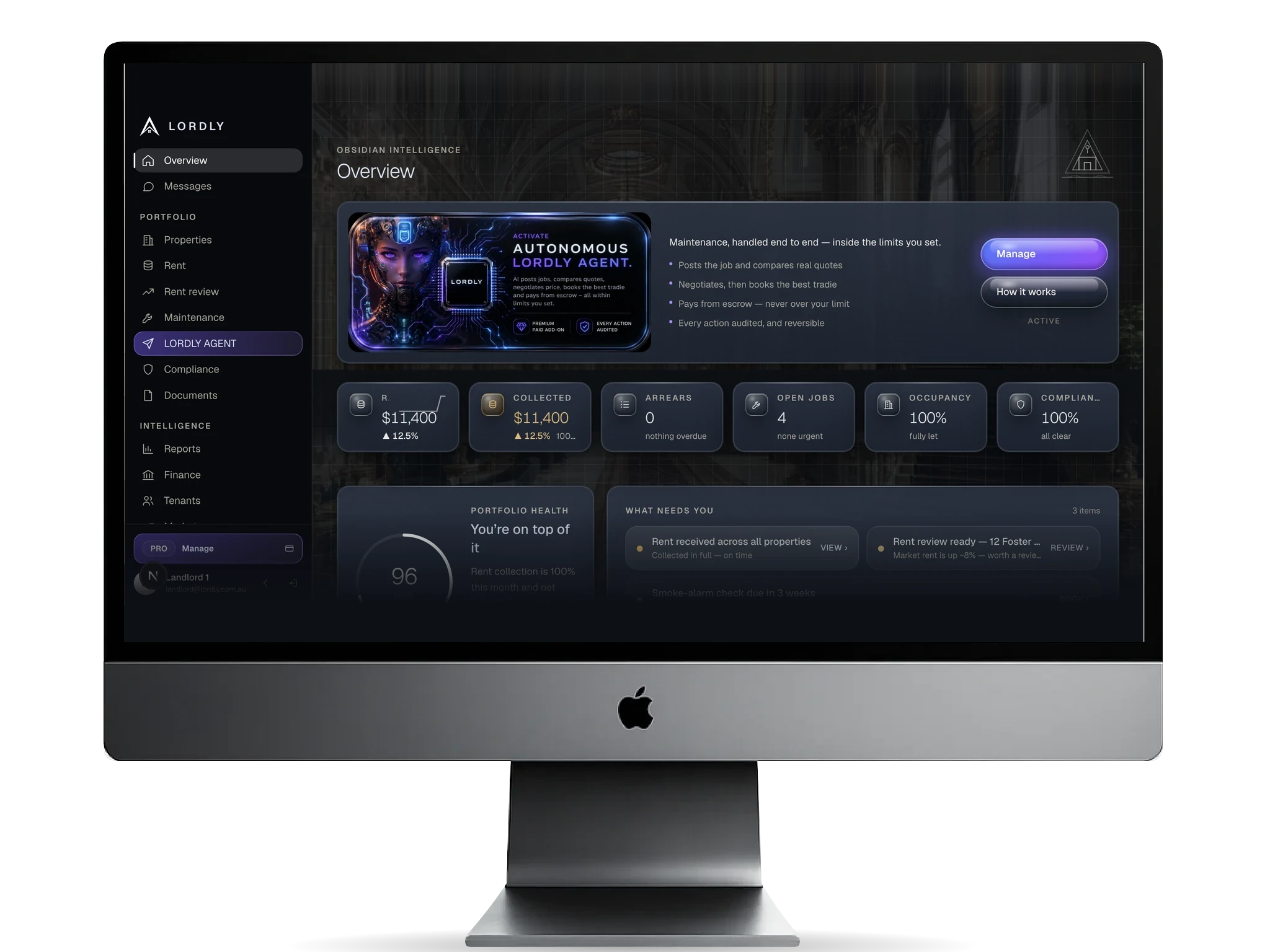
Real LORDLY app screens · demo portfolio shown · yours once signed in.
From start to done.
- 1Create your accountSign up in the LORDLY app, or in your browser if you do not have an Apple device. It tunes to your role and imports your tenancy.
- 2Sign in hereUse the same login on the desktop portal; everything is already there and live-synced.
- 3Command the estateRead reports, extract financials and message tenants from one command centre.
- 4It stays in syncEvery action reflects instantly on the app and every device.
In the app and on the desktop.
- Register and manage on the phone
- Everything syncs to the desktop live
- Approvals and alerts reach you anywhere
- Set channels, categories and quiet hours on your phone
- Preferences and plan stay in sync with the web
- Sticky KPI rail and portfolio health
- Ten report drill-downs and a consistency heatmap
- Financial exports and document bundles
- ⌘K command palette and full messaging console
- Phone-friendly too: a bottom tab bar on mobile web
- Notification channels, category overrides and quiet hours in Settings
- Subscribe, switch monthly or annual and manage billing via Stripe