
Raise the rent to what the market actually pays, lawfully, and without the guesswork.
Live suburb medians set a defensible figure, a state-law gate checks the timing, and the increase notice lodges to your tenant in a single tap.

LORDLY benchmarks each tenancy against live suburb medians, suggests a defensible new rent, with an optional AGENT second opinion, and runs a state legality gate over the notice period and effective date before you serve. Lodge the state-correct notice in one tap, track the tenant’s acknowledgement, then apply the new rent on its effective date once they accept. The full comparable-market engine and auto-drafted increase notices are a Pro capability.
A number you can defend
LORDLY reads the live suburb median for your bedroom count, blended from government bond-lodgement and rental-report data across the states and refreshed weekly. You see exactly where the current rent sits inside the 25th-to-75th percentile band, a suggested new figure with its confidence, and the plain-English reasons behind it. When you want a cross-check, the AGENT second opinion returns a figure bounded by Australian sanity caps: two numbers to weigh before you commit to one.
The timing, checked before you serve
Every increase runs through a state legality gate that knows the rules: twelve months between rises, the written-notice period for your state, the first-year ban and any cap. It shows the earliest lawful effective date and the exact clause behind any block or warning, so a notice never goes out early or short. The engine drafts and the figure and timing are yours to approve. You serve.
From due to done, tracked end to end
Your portfolio groups every tenancy into due-or-upcoming, awaiting tenant, ready to apply and recent history, so nothing slips. Lodge the notice in one tap and LORDLY delivers the state-correct document to the tenant and tracks their acknowledgement. When they accept, apply the new rent on its effective date and the lease, the ledger and the next review date all move together.
Exactly where it lives.
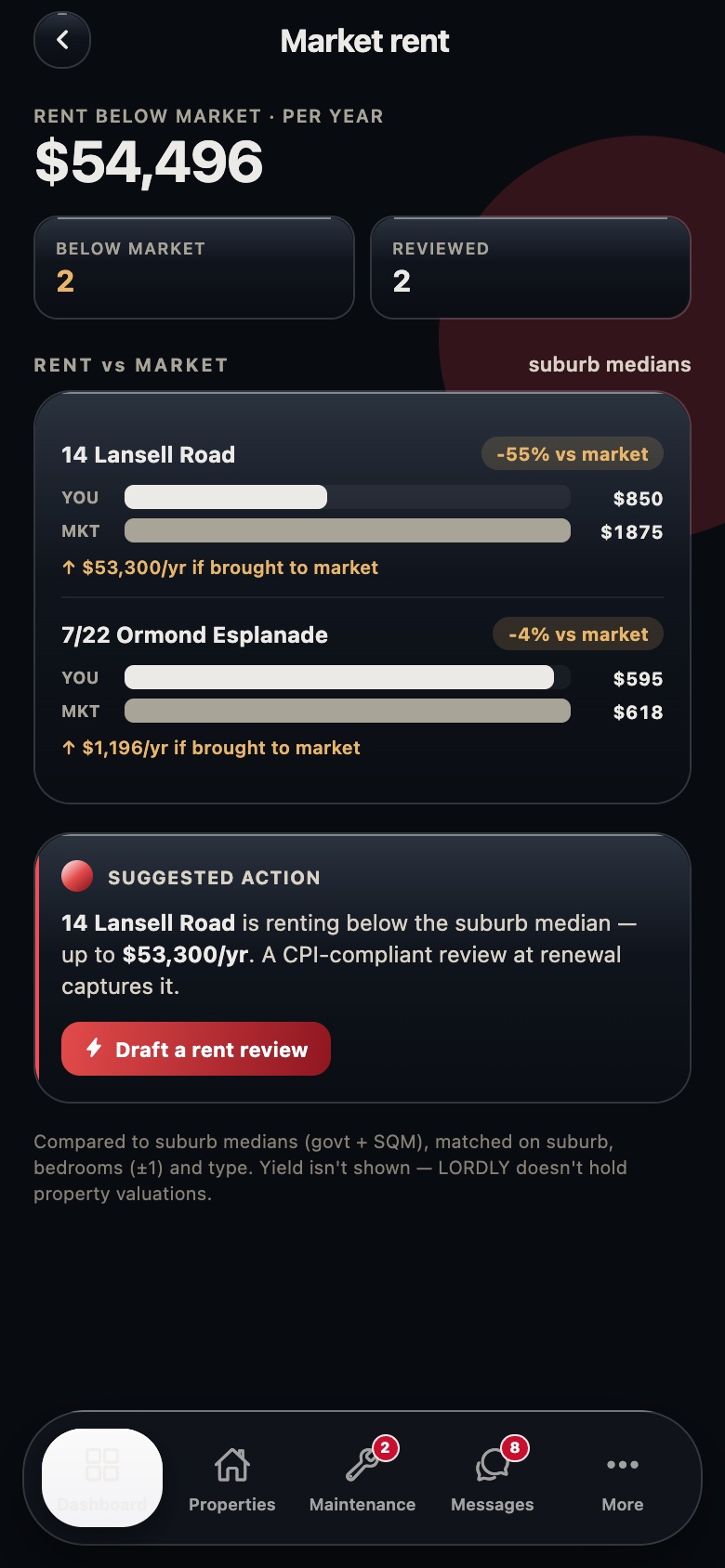
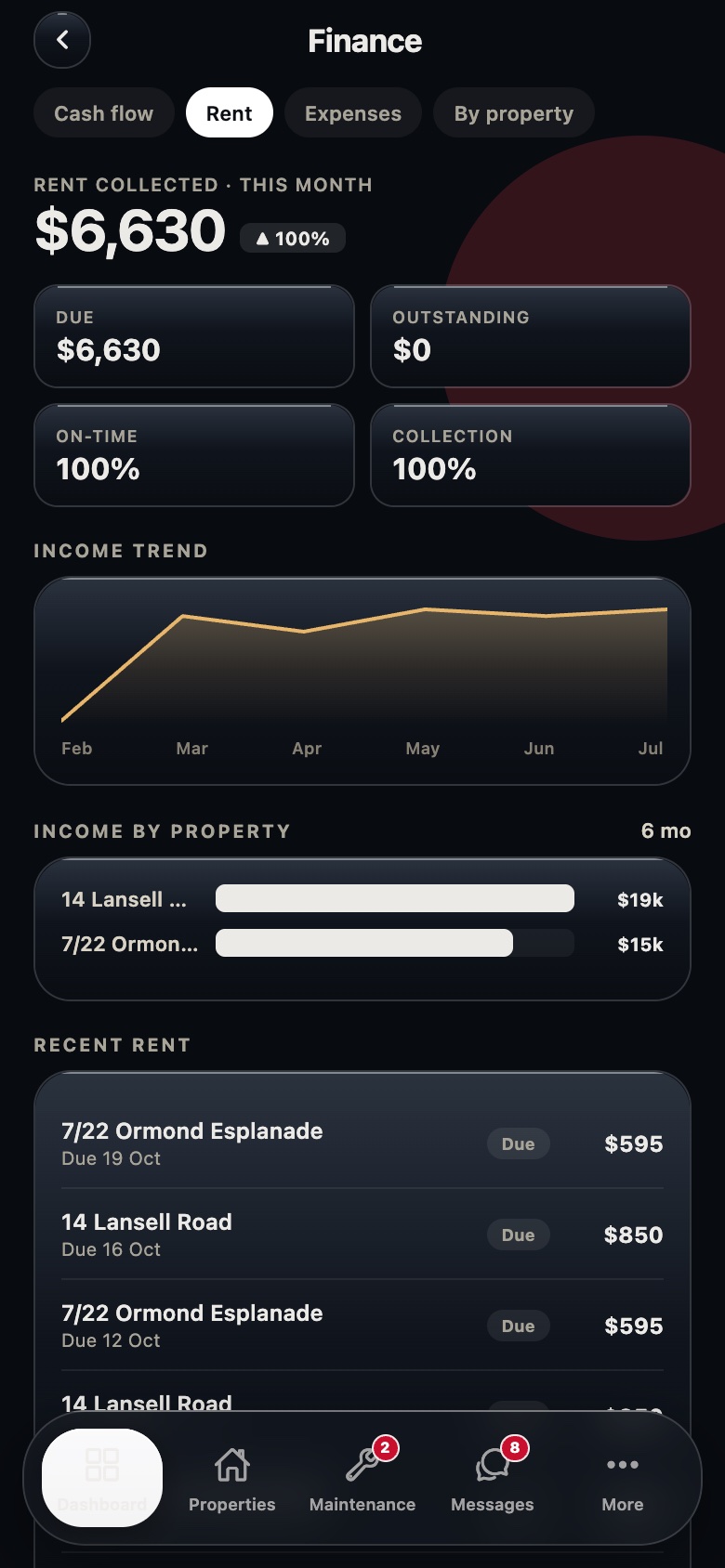
Real LORDLY app screens · demo portfolio shown · yours once signed in.
From start to done.
- 1Open the review that’s dueLORDLY alerts you sixty days before a review window opens and lists it under Due or upcoming. Tap through to the property to see the current rent against the live market.
- 2Weigh the suggested figureRead the suggested rent, its range and confidence, and the reasons behind it. Ask the AGENT for a second opinion if you want a cross-check, then choose to keep, increase, decrease or set a custom amount.
- 3Set the amount and effective dateEnter the new weekly rent and the date it takes effect. LORDLY shows the earliest lawful date for your state and blocks anything that breaches the notice period or the twelve-month interval.
- 4Lodge the notice in one tapOnce the legality gate is clear, tap to lodge. LORDLY generates the state-correct increase notice, delivers it to the tenant on your behalf and tracks their acknowledgement.
- 5Apply the new rent on the dayWhen the tenant accepts, apply the increase on its effective date. The lease rent, your ledger and the next review date all update, and the tenant is notified.
In the app and on the desktop.
- 60-day alerts when a review comes due
- Live median band with your rent marked on it
- AGENT second opinion on the suggested rent
- One-tap notice behind a state legality check
- Portfolio view: tenancies, eligible-now and in-progress counts
- Every tenancy benchmarked against the market side by side
- Prepare a review as a draft, then serve it from the app
- Honest source line and refresh date on each median